
FrameTune Logo
Get PRO
Available for Chrome & Edge — Brave & Firefox coming soon 21:9 & 32:9 Ultrawide Optimization Now on Android TV & Fire TV →

Experience Cinematic Video.
Without the Black Bars.

Unleash the full potential of your 21:9 or 32:9 Ultra-wide monitor and laptop display. FrameTune is the best browser extension for Amazon video stretching, Netflix black bar removal, and YouTube ultrawide scaling. Natively stretch video edge-to-edge with zero cropping, auto-skip Prime ads, and enjoy hands-free binge watching.

Add to Chrome (Free) View Pricing (Free vs PRO)

50%–200% Scaling

Independent width and height sliders with 1-click reset

Zero Cropping

Display scaling preserves full scene framing and faces

Amazon Video Stretching

Native 21:9 fit with ad auto-skip and multi-lingual skip

Smart Subtitles

Anti-dodge lock stops subtitles from getting cut off
Scroll to stretch

Zero Cropping. Pure 21:9 Immersion.

See how FrameTune stretches the video display area to fill ultrawide monitors without cutting off the top or bottom.

ULTRA-WIDE ACTIVE
Complete Feature Suite

Engineered for Perfection. Powered for Ultrawide.

Advanced video aspect ratio scaling and playback automation wrapped in an ultra-lightweight extension.

Ultrawide Video Stretching Extension

Flawlessly expands video content to fill 21:9 and 32:9 displays without distorting the focal point or cutting off heads. Use independent width and height sliders (50% to 200%) or quick keyboard shortcuts (A/D and W/S) to dial in the perfect aspect ratio.

Non-uniform scaling Zero clipping 1-click 100% reset

Amazon Video Stretching & Ad Auto-Skip

Dedicated Amazon Prime Video optimization. Natively stretch 16:9 movies to 21:9 ultrawide with safe Alt + A/D shortcuts, while automatically bypassing promotional trailers and skipping ads.

Smart Subtitles & Anti-Dodge Lock

Subtitles are pulled up and centered so they are never cut off during ultrawide playback. Lock Mode forces Flexbox column alignment, stopping Netflix from dynamically jumping subtitles around when player controls appear.

Binge Mode Automation

Automatically clicks 'Skip Intro', 'Skip Recap', and 'Next Episode' on Netflix and Amazon Prime Video. Pre-configured with exact translations across 30+ international languages with SPA persistence.

YouTube Enhancer & In-Player HUD

Take full control of YouTube on ultrawide. Includes a floating draggable in-player OSD for instant width and height adjustments, Auto Theater Mode, pure pitch-black (#000) Lights Out mode, Shorts shelf hiding, scroll-lock blocking, Shorts redirect to normal player, and 4K/8K resolution lock.

Auto Theater Pitch-black Lights Out Redirect Shorts 4K/8K lock

Audio Night Mode & 300% Boost

Web Audio API dynamic compressor boosts quiet speech and actor dialogue while dampening loud explosions for late-night viewing. Includes a linear gain boost slider up to 300%.

Native Integrations

Platform-Specific Superpowers.

Tailored enhancements engineered specifically for each streaming service's internal player architecture.

Amazon Prime Video

Top Feature
  • ✓ Amazon Video Stretching (16:9 to 21:9 & 32:9)
  • ✓ Dedicated Hotkeys (Alt + A/D width, Alt + W/S height)
  • ✓ Auto-Skip Prime Ads & Trailers
  • ✓ Binge Mode (Auto-skip Intro & Recap in 30+ langs)
  • ✓ Custom Playback Speed (0.25x–3.00x)
  • ✓ Movie End Time & Dialogue Booster
Works automatically on primevideo.com and amazon.com

Netflix

  • ✓ Ultrawide Video Stretch (Firefox 1080p stream)
  • ✓ PiP with Subtitles (Real-time VTTCue sync)
  • ✓ Smart Subtitle Lock (Stops position dodging)
  • ✓ Mouse Wheel Volume Scroll with OSD
  • ✓ Trailer Volume Mute/Clamping on browse grid
  • ✓ 4K & HDR Badges (Dolby Vision/Atmos detect)
  • ✓ Binge Mode (Auto-skip Intro/Recap/Next Ep)
* Firefox recommended for stretching due to browser DRM on Chromium

YouTube

  • ✓ Ultrawide Video Stretching (50%–200%)
  • ✓ In-Player Draggable HUD (W, H, L)
  • ✓ Auto Theater Mode on video open
  • ✓ Lights Out Mode (Pitch-black #000 cinema)
  • ✓ Shorts Tools (Hide shelves, disable scroll)
  • ✓ Redirect Shorts to standard video player
  • ✓ Lock Quality to 4K or 8K resolution
Trailer volume strictly decoupled from user video

JioHotstar

  • ✓ Binge Mode (Auto-Skip Intro/Recap/Next)
  • ✓ Zero-Seek Ad Blocker (Insta-mute & skip)
  • ✓ Night Mode & Dialogue Booster
  • ✓ Advanced Subtitles (Offset, Lock, Brightness)
  • ✓ Universal Video Stretching (50%–200%)
  • ✓ Custom Playback Speed (0.25x–3.00x)
Works on hotstar.com and jiohotstar.com

MX Player

  • ✓ Dedicated Ad Blocker (0s Mute & Bypass)
  • ✓ Binge Mode (Auto-Skip Intro/Recap)
  • ✓ Audio Night Mode & Volume Boost
  • ✓ Advanced Subtitles (Scale, Shift, Lock)
  • ✓ Universal Video Stretching (50%–200%)
Works automatically on mxplayer.in

All Other Websites

  • ✓ Universal Video Stretching (Any video)
  • ✓ Disney+, Hulu, Max, Twitch, Vimeo
  • ✓ Generic Binge Scanner (Auto-clicks skip)
  • ✓ Smart Auto-Pause on tab switch
  • ✓ Direct & Wrapper Rendering Modes
  • ✓ Dialogue Boost & 300% Volume
Whitelist custom domains with 1 click
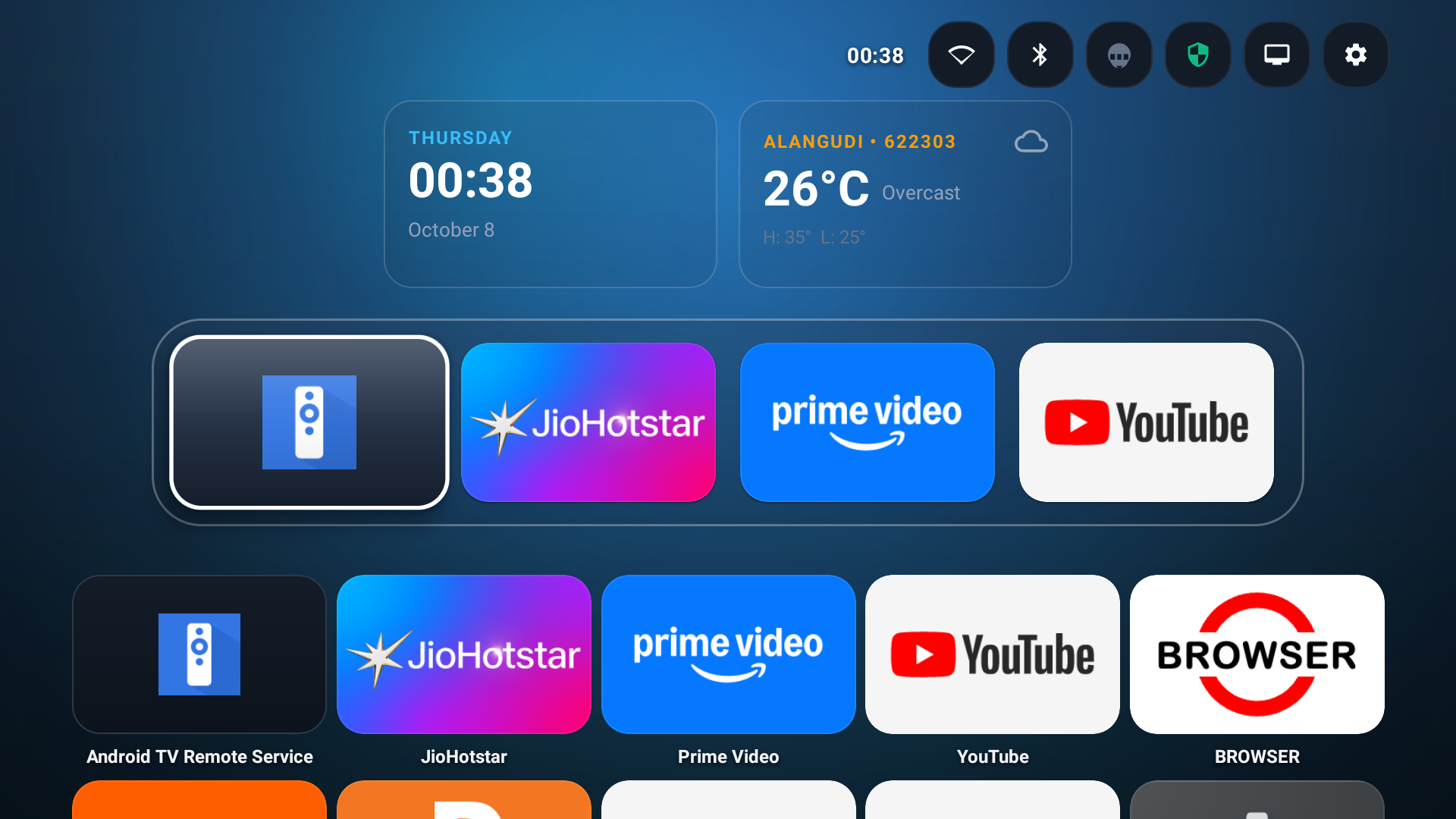
Now for Your Big Screen • Android TV & Fire TV

Silence Commercials on Your TV.

Take the smart viewing experience to your living room. Automatic unskippable ad muting on Hotstar and Prime Video, instant Netflix intro & recap skips, live movie finish times, and an offline Bluetooth phone remote. 100% non-root & sandboxed.

FrameTune TV Android & Fire TV interface preview
Android TV • Google TV • Fire TV Retail v1.1.53
Help & Answers

Frequently Asked Questions

Everything you need to know about stretching video to fit your screen.

How do I stretch Amazon Prime Video to fit an ultrawide monitor?
Install FrameTune directly from the Chrome Web Store (available for Google Chrome and Microsoft Edge — Brave and Firefox coming soon), navigate to Amazon Prime Video, and start watching any movie or TV series. Use the keyboard shortcuts Alt + D to stretch wider or Alt + A to adjust narrower until the video completely fills your 21:9 or 32:9 screen. Because FrameTune uses non-uniform display scaling, the entire video stretches edge-to-edge without cutting off scene composition or actor faces. FrameTune also automatically skips Prime ads and video intros.
What makes FrameTune the best ultrawide video stretching extension?
Most video extensions only perform uniform zooming, which zooms into the center of the video and cuts off the top and bottom of the picture. FrameTune features a decoupled math engine (StretchEngine) that allows independent width and height scaling (50% to 200%). It includes Smart Subtitles with position locking, multi-lingual Binge Mode automation, Web Audio dialogue compression, and dedicated modules for Amazon Prime Video, Netflix, and YouTube.
Does FrameTune crop or cut off parts of the movie?
No, FrameTune does not crop or clip the video. It applies non-destructive display scaling to change the perceived aspect ratio. You can also fine-tune the width and height sliders in real time or hit the instant reset button to revert to standard 100% × 100% dimensions at any moment.
When stretching videos on other extensions, subtitles get cut off. Does FrameTune fix this?
Yes! FrameTune features proprietary Smart Subtitles technology. It allows vertical and horizontal offset adjustments, font size scaling, and background opacity control. On Netflix, its Position Lock feature converts subtitles into a Flexbox column and prevents the player from dodging subtitles upward when the timeline appears. Furthermore, its Picture-in-Picture mode dynamically extracts subtitles into native text tracks so subtitles remain visible even in PiP.
View all frequently asked questions →